Anatomy of a media file
A media file is not one single thing. The filename, container, codecs, streams and metadata are different layers that happen to travel together.
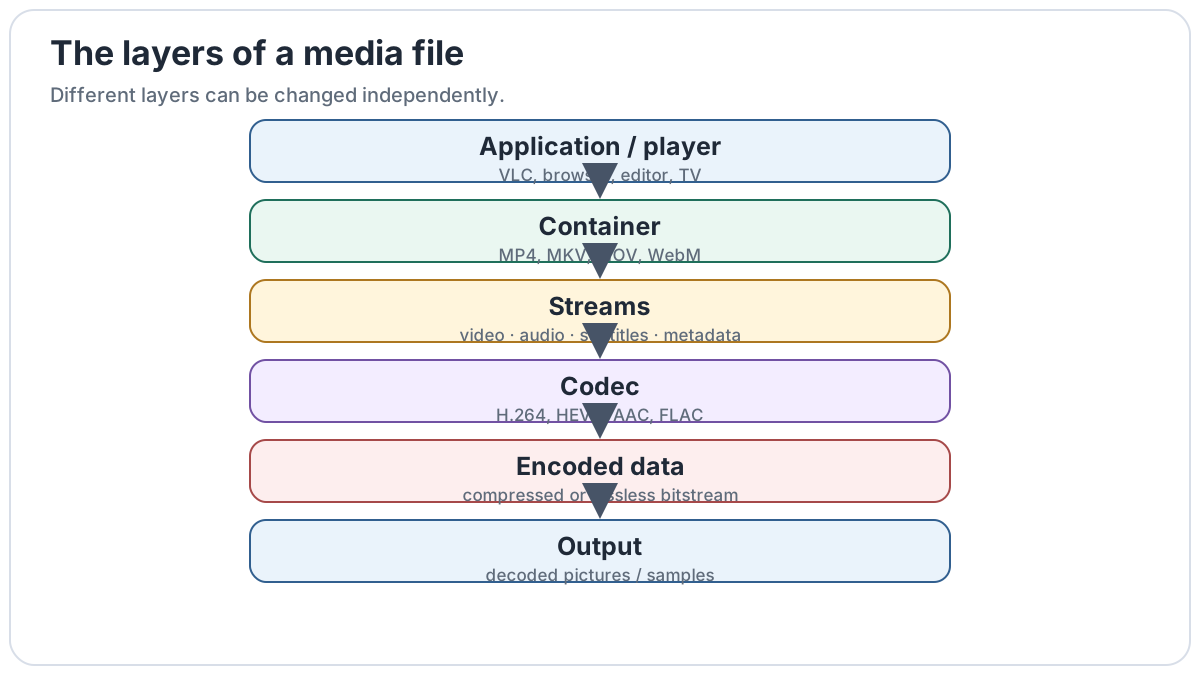
The layers
| Layer | What it does | Example |
|---|---|---|
| Filename | The name you see | film.mp4 |
| File extension | A clue about the expected file type | .mp4 |
| Container | Packages streams and metadata together | MP4 |
| Video stream | The encoded moving picture | H.264/AVC |
| Audio stream | The encoded sound | AAC |
| Subtitle stream | Optional timed text | WebVTT, tx3g, ASS |
| Metadata | Describes the media | Title, language, chapters, artwork |
One MP4 file, several different things
The extension tells you that the file is expected to be an MP4-family file. It does not tell you exactly which codecs are inside it.
Why two files with the same extension can behave differently
Two files can both be called .mp4, yet one may contain H.264 video and another HEVC. A television might decode the first but not the second even though both filenames end in the same extension.
The same idea applies to .m4a: one M4A file may contain lossy AAC while another contains lossless ALAC.
This is why troubleshooting starts with the contents of the file, not only the extension.
Where metadata fits
Metadata describes media but is not normally the audio or video itself. Artist names, album art, language flags, chapters and creation dates can often be changed without re-encoding the main media streams.
That distinction matters when a tag editor changes information instantly: it usually rewrites metadata rather than compressing the song again.
Common confusion
They are primarily containers. The actual video codec may be H.264, HEVC, AV1 or something else.
.mp4 tells you far less than a media inspector can tell you about the streams inside.